
In the Portail ZAPP CRM, everyone only sees the records they are entitled to: their own accounts, those of their team or their division, depending on their roles. The My CRM access page explains what you see, and why. Menu: CRM › My CRM access (address: /crm).
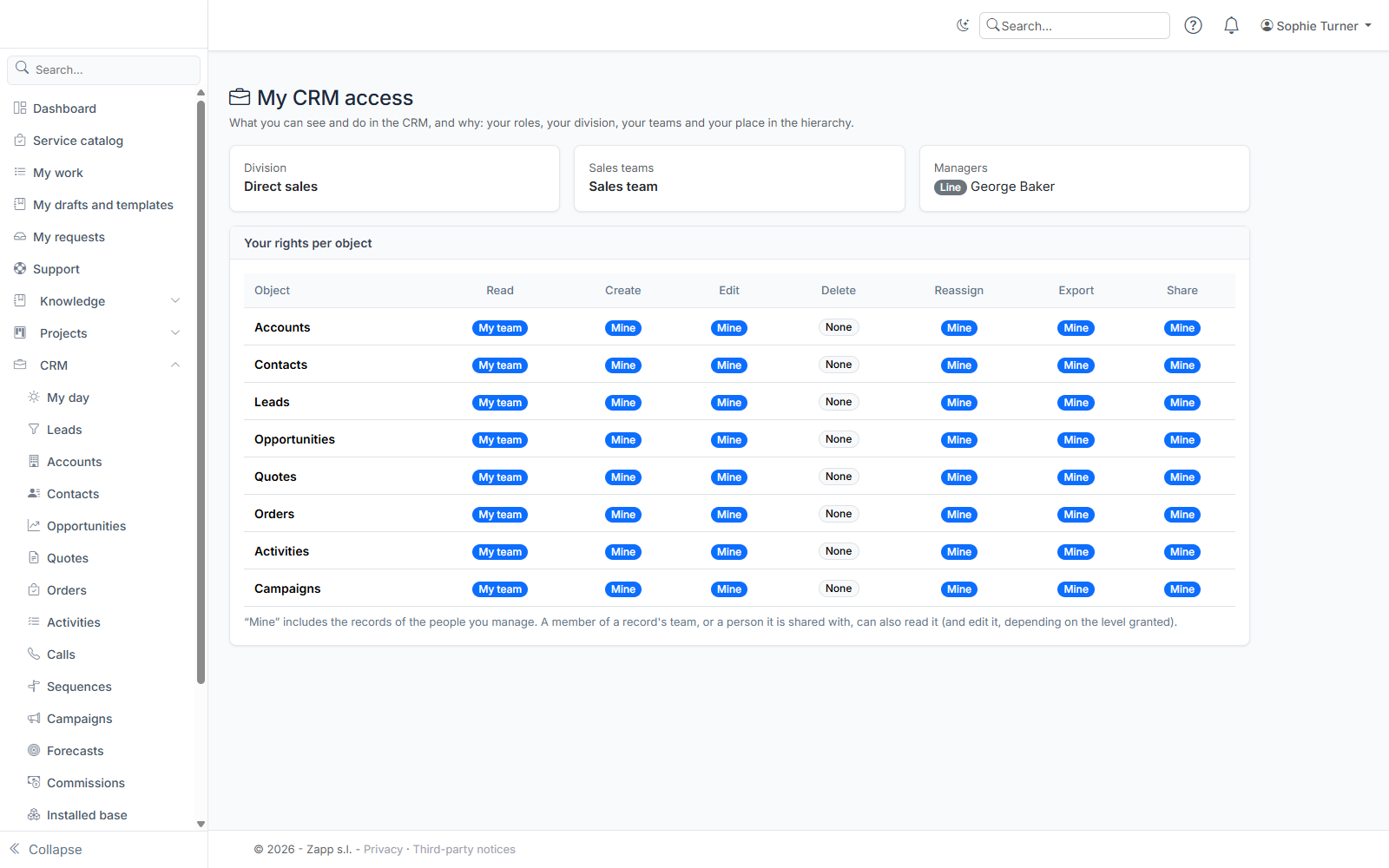
What the page shows
- Division: the sales division you belong to (a branch, a region…).
- Sales teams: the teams you are a member of.
- Managers: your line manager and, if any, your functional managers.
- People you manage: if you manage people, you also see what they see. Their names are listed in a box.
- Your rights per object: for each CRM object (accounts, for instance) and each action (read, create, edit, delete, reassign, export, share), the scope your roles give you.
Scopes
| Scope | What it covers |
|---|---|
| None | Nothing, except what is shared with you or whose team you belong to |
| Mine | Records you own, and those of the people you manage |
| My team | Also those whose owner belongs to one of your sales teams |
| My division | Also those of your division and all its sub-divisions |
| All | All records |
Scopes add up: “My division” also covers “My team” and “Mine”. If several roles are assigned to you, the widest scope wins.
Record team and sharing
Beyond your roles, you can see a record:
- if you belong to its team (presales, technician, partner…). Depending on the level granted, you can only read it, or edit it too;
- if it has been shared with you or with one of your sales teams, read-only or read-write.
Deleting, reassigning, exporting and sharing always depend on your roles.
No role?
If the page says no CRM role is assigned to you, you only see what is shared with you. Ask the CRM administrator for a role.