
A quiz is a graded form: each question has its correct answer and its points, and each attempt gives a score. It is built in the Forms screen (/dynamicforms/admin), with the same editor, the same versions and the same publication as other forms. This page complements "Design a form".
Quizzes and question banks
When creating it (New form), choose the Kind:
- Quiz: a graded questionnaire that asks its own questions and can draw others from banks;
- Question bank: a pool of questions, never taken as such. A quiz draws its questions from it at random.
The kind cannot be changed afterwards. In the list of forms, a Quiz or Question bank badge follows the name.
Questions and their answer key
Questions are fields. Five types are graded:
| Field type | Question | Correct answer |
|---|---|---|
| Fixed value list | Single choice | One of the offered values |
| Multiple selection | Multiple choice | One or more values; All or nothing or Partial credit scoring |
| Checkbox | True / false | True or False |
| Text | Short answer | One or more accepted answers, one per line; case and accents are ignored |
| Number | Numeric | A number, with an optional Tolerance (± accepted difference) |
A field of any other type is never asked during an attempt.
Below the preview, the Answer key card lists the gradable questions. The pencil button of a question opens its answer key:
- Points (1 by default);
- Theme (optional, for example "SLA"): used for drawing by theme and for the score by theme;
- Correct answer(s);
- Explanation, one per active language: it is shown with the answer key, in practice mode only.
A question without an answer key carries the No answer key badge and prevents publication. Question and value labels are translated like those of any field.
Quiz settings
The Quiz settings card holds:
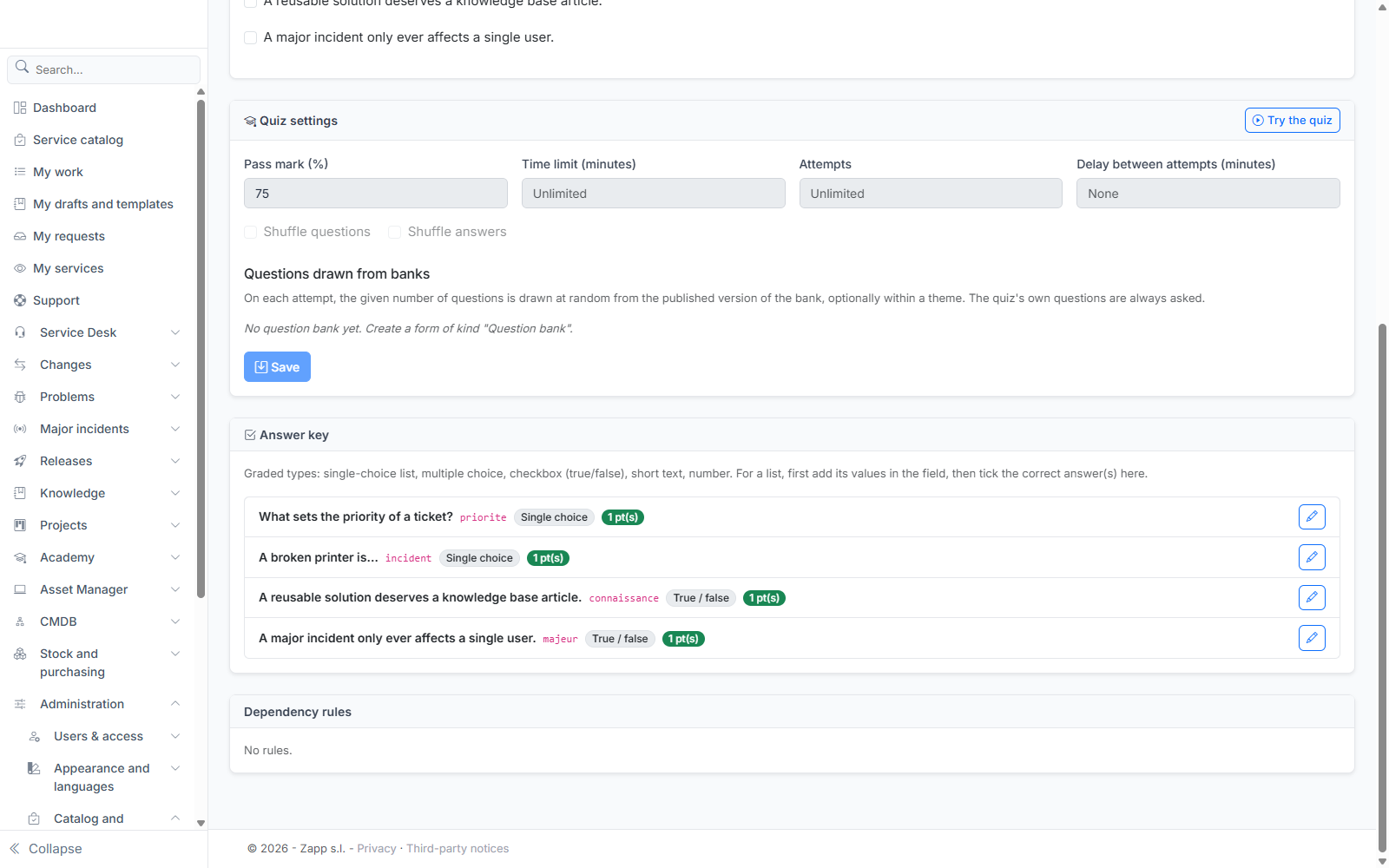
- Pass mark (%): 70% by default;
- Time limit (minutes): empty = no limit. Time is checked by the server: an answer received after the deadline is not counted;
- Attempts: empty = unlimited;
- Delay between attempts (minutes): empty = none;
- Shuffle questions and Shuffle answers (on by default).
Drawing questions from a bank
Under Questions drawn from banks, each row is a draw: a Bank, an optional Theme (the list offers the bank's themes) and a number of Questions. On each attempt, that number of questions is drawn at random from the published version of the bank, within the theme if one is given; for example 3 "SLA" questions out of 12. The quiz's own questions are always asked as well.
The draw does not depend on the language: each question exists in every language, and the learner reads it in their own.
Publish and try
Publication is refused while a question has no correct answer, a correct answer is no longer one of the offered values, the quiz has no questions, or a draw targets an unpublished bank or one too small for its theme. The reason is shown at the top of the screen.
Once the quiz is published, Try the quiz lets you take it in practice mode, with the same draw and the same screen as a learner, then brings you back to the editor.
An attempt keeps the quiz version that was published when it started: publishing a new version changes neither the questions nor the grading of an attempt already under way.
Practice and exam
A quiz is taken in practice or exam mode, depending on the module that offers it (the Academy, for example):
- in practice mode, the learner sees at the end the answer key of each question and its explanation;
- in exam mode, they only see their overall score and their score by theme, never the correct answers.