
A quota is the target for a period: what a sales rep, a team or a division has to win. Quotas tab of the Forecasts page (address: /crm/forecasts/quotas).
Reading quotas
For each quota of the chosen period, the table shows the target, the measure, the product family, the objective, the actual amount and the attainment.
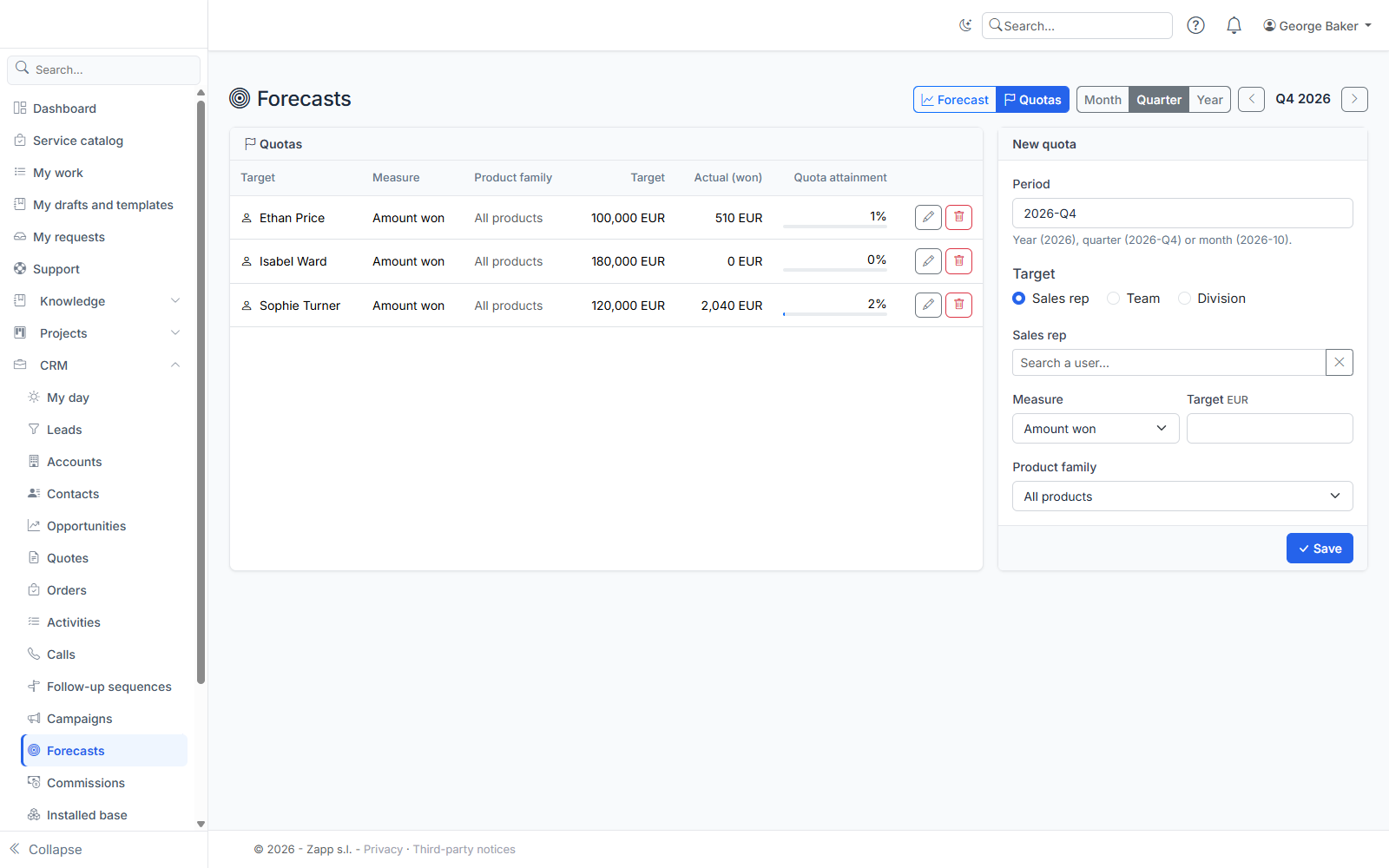
The actual amount counts the deals won during the period, according to the revenue split:
- for a sales rep: their deals;
- for a team: the deals of its current members;
- for a division: the deals of the people in the division and its sub-divisions.
Creating or editing a quota
The New quota form is available to managers and sales administrators.
- Enter the period: a year (
2026), a quarter (2026-Q4) or a month (2026-10). - Choose the target: a sales rep, a team or a division.
- Choose the measure:
- Amount won, in the catalog's base currency;
- Number of deals won, a whole number.
- If needed, limit the quota to a product family: only the product lines of that family (and its sub-families) count.
- Enter the objective and save.
A target has only one quota per period, measure and family. The pencil on a line edits the quota, the bin deletes it.
Who sets what
- A manager sets the quotas of the people who report to them, never their own.
- Team and division quotas, and your own quota, are set by sales administrators (the right to edit all opportunities; the right to see them is not enough).
- An amount quota needs a base currency in the catalog.
A sales rep's amount quota (all products) also appears on the Forecasts page, with the same attainment: the actual amount of a personal quota is always the personal actual amount. A deal won in a currency with no exchange rate counts in the number of deals, not in the amount.